Best AI Image Generators in 2026: 9 Tools Compared
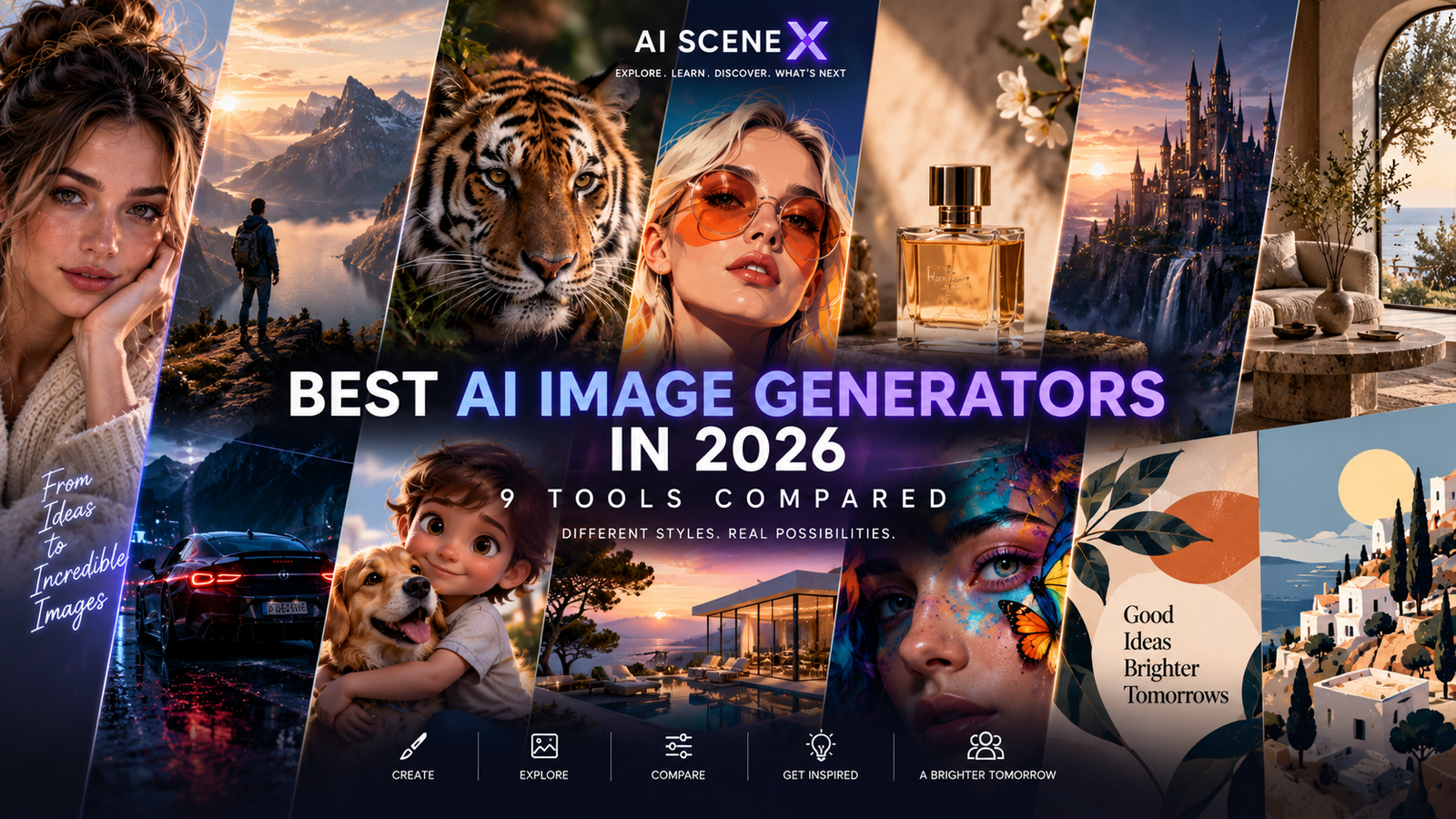
AI image generators are getting dramatically better at realism, editing, text and creative control. We compare nine of the strongest AI image tools in 2026 and explain which one is best for each type of work.
AI image generation has changed dramatically
AI image generation used to be mostly about one thing:
Write a prompt and hope the model produces something close to what you imagined.
That era is disappearing.
The best AI image generators in 2026 can create photorealistic scenes, edit existing photographs, maintain characters across images, render increasingly accurate text, follow complex instructions and produce assets suitable for real creative workflows.
But there is another major change.
There is no longer one obvious “best AI image generator.”
Some tools excel at cinematic visuals.
Others are better at precise editing.
Some are built for graphic designers.
Others prioritize photorealism, typography, commercial workflows or conversational creation.
So instead of asking which AI image generator is universally best, the better question is:
Which one is best for what you want to create?
Best AI image generators in 2026: quick comparison
| AI image tool | Best for | AI Scene X verdict |
|---|---|---|
| ChatGPT / GPT Image 2 | Best overall | 🏆 Overall Winner |
| Google Gemini / Nano Banana | Image editing | 🏆 Best Editor |
| Midjourney | Cinematic & artistic images | 🏆 Best Aesthetics |
| FLUX | Photorealism & control | 🏆 Best Photorealism |
| Ideogram | Typography & text | 🏆 Best for Text |
| Adobe Firefly | Professional Adobe workflows | 🏆 Best for Creative Teams |
| Recraft | Graphic design & vectors | 🏆 Best for Designers |
| Leonardo AI | Creator workflows & assets | ⭐ Great Creator Tool |
| Reve | Prompt interpretation | ⭐ One to Watch |
The rankings are based on product capabilities, current model features and suitability for different workflows — not a claim that one model wins every possible prompt.
1. ChatGPT / GPT Image 2 — Best overall
AI Scene X verdict: 🏆 Best overall AI image generator
ChatGPT has become one of the strongest places to create AI images because image generation is integrated directly into a much broader AI environment.
OpenAI released GPT Image 2 in April 2026, positioning it as its state-of-the-art image generation and editing model. The model focuses on higher-quality generation, stronger instruction following, editing and more usable visual output.
The real advantage is the workflow.
You do not necessarily need to learn a specialized prompting syntax.
You can describe what you want conversationally.
Generate it.
Then say:
“Move the subject to the left.”
“Change the jacket.”
“Make this 16:9.”
“Remove the object in the background.”
“Keep the character but change the location.”
That conversational approach makes AI image creation much more accessible.
Best for
General users, marketers, bloggers, creators, businesses and anyone who wants image generation integrated into a broader AI assistant.
Strengths
Excellent instruction following.
Strong image editing.
Good text rendering.
Conversational workflow.
Useful reference-image capabilities.
Integrated with ChatGPT.
Weaknesses
Dedicated visual artists may prefer the aesthetic personality of Midjourney.
Power users seeking local models and highly technical control may prefer FLUX or other open ecosystems.
Rating
9.6/10
2. Google Gemini / Nano Banana — Best for image editing
AI Scene X verdict: 🏆 Best conversational editor
Google’s image-generation ecosystem has become one of the most interesting competitors in this category.
Nano Banana gained attention particularly because of its ability to edit images while preserving important characteristics of the original.
Google specifically designed its Gemini image editing improvements around maintaining likeness when modifying photographs of people and pets.
Users can change outfits, combine photographs and transfer visual styles while attempting to retain the identity of the original subject.
Google has continued integrating image generation more deeply into Gemini, including personalized image creation connected to Google Photos for eligible users who opt into Personal Intelligence.
That creates an interesting advantage.
Instead of AI image generation being an isolated application, it becomes part of a broader personal AI ecosystem.
Best for
Editing existing images, character consistency, personalized creation and conversational modifications.
Strengths
Strong editing.
Good identity consistency.
Easy conversational workflow.
Integration with Gemini.
Useful connection to Google’s broader ecosystem.
Weaknesses
Availability and individual features can vary by account, region and Google product.
Specialist tools can still offer more artistic control.
Rating
9.5/10
3. Midjourney — Best for cinematic and artistic images
AI Scene X verdict: 🏆 Best aesthetics
Midjourney remains difficult to ignore.
Its greatest advantage has always been simple:
It can make extraordinarily attractive images.
In July 2026, Midjourney V8.2 became the platform’s default model, bringing further improvements in aesthetics, image quality and personalization.
And Midjourney is no longer just a generation tool.
Its newer Edit Model supports editing through written instructions, working with multiple reference images, inpainting and outpainting.
This matters because one of Midjourney’s historical disadvantages was that other platforms offered easier conversational editing.
That gap is shrinking.
Where Midjourney continues to stand out is visual personality.
For cinematic scenes, fantasy art, fashion concepts, editorial imagery, mood boards and visually dramatic compositions, it remains one of the first tools we would consider.
Best for
Artists, concept designers, cinematic visuals, fashion imagery, editorial images and mood-driven creative work.
Strengths
Outstanding aesthetics.
Strong composition.
Excellent artistic styles.
Powerful personalization.
Improving editing capabilities.
Weaknesses
It can sometimes prioritize aesthetic interpretation over literal instructions.
Typography is improving but other tools may be preferable when exact text is critical.
Rating
9.5/10
4. FLUX — Best for photorealism and control
AI Scene X verdict: 🏆 Best for photorealism and power users
FLUX has become an important part of the AI image ecosystem because it appeals to a different type of creator.
Instead of simply offering another consumer image website, the FLUX ecosystem is attractive to developers, advanced creators and users who want greater control over how models are deployed and integrated.
FLUX models are frequently used for:
photorealistic imagery,
product photography,
advertising concepts,
custom workflows,
and more technical generation pipelines.
The ecosystem’s flexibility is one of its greatest advantages.
For advanced creators who understand image-generation workflows, that control can matter more than having the simplest interface.
Best for
Photorealism, advanced creators, developers and customized image-generation pipelines.
Strengths
Strong realism.
Flexible ecosystem.
Good prompt adherence.
Useful for advanced workflows.
Developer-friendly options.
Weaknesses
The ecosystem can be more complicated than simply opening ChatGPT or Gemini.
The experience varies depending on which FLUX model and interface you use.
Rating
9.4/10
5. Ideogram — Best for text inside images
AI Scene X verdict: 🏆 Best typography
Text has historically been one of AI image generation’s most embarrassing weaknesses.
A beautiful poster could be ruined by nonsense letters.
Ideogram built much of its reputation by tackling that problem.
Its current generation has moved well beyond being merely “the AI that can spell.”
Ideogram released Ideogram 4.0 in June 2026 as an open-weight model with a commercial license, while emphasizing production design and workflows that move beyond simple flat images.
That makes Ideogram particularly attractive for visual work where text is actually part of the design.
Think:
posters,
advertisements,
social media graphics,
product concepts,
signage,
and branded visual content.
Best for
Typography, posters, advertisements, social graphics and text-heavy visuals.
Strengths
Excellent text rendering.
Strong graphic-design use cases.
Good prompt interpretation.
Open-weight 4.0 model.
Commercially relevant design workflows.
Weaknesses
For pure cinematic imagery, Midjourney may still be more appealing.
For conversational general-purpose creation, ChatGPT or Gemini may feel easier.
Rating
9.3/10
6. Adobe Firefly — Best for professional creative workflows
AI Scene X verdict: 🏆 Best for Adobe users
Adobe does not need to turn Firefly into another Midjourney.
Its competitive advantage is different.
Firefly exists inside one of the world’s most established professional creative ecosystems.
That matters.
A designer may generate something with AI, but the job rarely ends there.
The asset might still need:
retouching,
layout work,
branding,
typography,
resizing,
animation,
or integration into a larger campaign.
Firefly’s connection with Adobe’s creative applications makes it particularly attractive to professionals who already live inside those workflows.
Best for
Professional designers, agencies, marketing departments and existing Adobe users.
Strengths
Professional workflow integration.
Strong editing ecosystem.
Designed around commercial creative production.
Useful for teams.
Adobe application integration.
Weaknesses
Casual creators may prefer simpler standalone tools.
Users outside the Adobe ecosystem may get less value from its biggest advantage.
Rating
9.2/10
7. Recraft — Best for graphic design and vectors
AI Scene X verdict: 🏆 Best AI design tool
Recraft deserves more attention than it sometimes receives.
It is not simply trying to create beautiful AI pictures.
It is increasingly positioned around design.
Recraft V4 was rebuilt around visual taste, prompt accuracy and production-oriented output. The platform supports both raster and vector generation, including dedicated higher-resolution Pro models.
That makes it especially interesting for:
logos,
icons,
illustrations,
brand assets,
marketing graphics,
and vector workflows.
A cinematic AI portrait and a scalable company icon are completely different creative problems.
Recraft understands that distinction.
Best for
Graphic designers, branding, vector artwork, icons and production-ready visual assets.
Strengths
Real vector output.
Strong design focus.
Good composition.
Brand-oriented workflows.
High-resolution options.
Weaknesses
Users primarily interested in cinematic AI photography may prefer Midjourney or FLUX.
Its biggest advantages matter most to people actually doing design work.
Rating
9.2/10
8. Leonardo AI — Best for creator workflows
AI Scene X verdict: ⭐ Great for creators
Leonardo AI remains a useful platform because it packages a broad collection of image-generation capabilities into an interface aimed at creators.
It has been popular for:
concept art,
game assets,
characters,
marketing imagery,
product visuals,
and general creative experimentation.
That versatility is valuable for someone who does not want to build a technical image-generation stack from scratch.
Leonardo’s challenge is that competition has become brutal.
ChatGPT and Gemini are becoming easier.
Midjourney remains visually distinctive.
FLUX appeals to power users.
Recraft targets designers.
Adobe owns professional creative workflows.
Leonardo therefore needs to win through the overall creator experience rather than one isolated capability.
Best for
Content creators, game concepts, visual experimentation and people who want multiple creative tools in one platform.
Strengths
Creator-focused interface.
Broad toolset.
Good creative control.
Useful for asset creation.
Accessible to non-technical users.
Weaknesses
It is competing against increasingly powerful specialist tools from almost every direction.
Rating
8.9/10
9. Reve — One to watch
AI Scene X verdict: ⭐ Emerging contender
The AI image market is moving so quickly that today’s smaller challenger can become tomorrow’s major platform.
Reve is interesting because of its focus on understanding creative instructions and translating them into visually coherent results.
Prompt adherence matters more than it sounds.
A technically impressive image is still a failure if it ignores half of the brief.
That makes models capable of accurately interpreting complex instructions increasingly valuable as AI image generation moves into professional workflows.
We would not put Reve ahead of the established leaders as an overall platform yet.
But it is exactly the kind of challenger worth watching.
Best for
Experimentation, prompt-driven creation and users interested in emerging image models.
Strengths
Interesting prompt interpretation.
Strong potential.
Useful alternative to larger platforms.
Weaknesses
Smaller ecosystem.
Less mature overall platform than the category leaders.
Rating
8.7/10
Which AI image generator produces the best-looking images?
If the goal is purely:
“Make something beautiful.”
Our first choice would still be Midjourney.
Its visual style and composition remain exceptionally strong.
But “best looking” is subjective.
For realistic product photography, FLUX may be preferable.
For a graphic containing important typography, Ideogram may produce the more useful result.
For an image that needs repeated conversational revisions, ChatGPT or Gemini may be easier.
The best-looking image is not always the most useful image.
Which is best for photorealistic images?
Winner: FLUX
Photorealism is an area where the differences between AI models have become remarkably small.
Lighting, skin, materials, reflections and photographic depth have improved enormously.
We currently give FLUX the edge for users specifically pursuing high-end photorealistic workflows.
But GPT Image 2, Midjourney and Google’s image models are all serious competitors.
At this level, prompt quality and workflow can matter as much as model choice.
Which AI image generator is best for editing?
Winner: Gemini / Nano Banana
Google has put considerable emphasis on preserving subjects while making requested modifications.
That makes Gemini particularly compelling for workflows such as:
changing clothing,
changing backgrounds,
combining images,
altering style,
and maintaining a recognizable subject across edits.
GPT Image 2 is extremely competitive here as well.
Midjourney’s newer V8 editing tools also make this category much closer than it was previously.
Which AI image generator is best for text?
Winner: Ideogram
If the image itself needs readable typography, Ideogram remains one of our first choices.
GPT Image 2 has also improved significantly in layouts and text rendering, meaning the gap is much smaller than it once was.
For important production work, however, always proofread AI-generated text before publishing.
One incorrect letter can destroy an otherwise excellent advertisement.
Which is best for graphic designers?
Winner: Recraft
Recraft’s vector capabilities make it fundamentally different from many image generators.
Designers often need assets that can be resized, recolored and integrated into larger projects.
A beautiful 1024-pixel raster image is not always enough.
Recraft’s V4 family includes dedicated vector models as well as higher-resolution Pro variants.
That makes it one of the most interesting AI tools for actual design production.
Which is best for beginners?
Winner: ChatGPT
Beginners should not need to learn an entirely new creative language before producing something useful.
ChatGPT’s conversational workflow makes the process intuitive.
Describe the image.
Look at the result.
Explain what you want changed.
Repeat.
That is much easier for a new user than learning complicated generation parameters immediately.
Which AI image generator should you actually use?
Here is the simplest answer.
Use ChatGPT if you want the strongest general-purpose option.
Use Gemini / Nano Banana if editing existing images is your priority.
Use Midjourney if visual style and cinematic aesthetics matter most.
Use FLUX if photorealism and advanced control matter most.
Use Ideogram if your image contains important text.
Use Adobe Firefly if you work professionally inside Adobe.
Use Recraft if you create graphic-design and vector assets.
Use Leonardo AI if you want a broad creator-oriented environment.
Watch Reve if you enjoy experimenting with emerging models.
The smartest strategy may be using more than one
Professional creators increasingly do not need to choose one image generator forever.
They can choose per task.
A workflow might look like this:
Generate the concept in Midjourney.
Create a more controlled version in FLUX.
Produce typography in Ideogram.
Build vector assets in Recraft.
Finish the campaign inside Adobe.
Or simply generate and edit everything conversationally inside ChatGPT.
That is where the market is heading.
The winning product may not be the model that produces the single most impressive demo.
It may be the tool that fits most naturally into the way people already create.
AI Scene X final ranking
🥇 ChatGPT / GPT Image 2 — 9.6/10
Best overall
🥈 Gemini / Nano Banana — 9.5/10
Best for editing
🥈 Midjourney — 9.5/10
Best for cinematic visuals
FLUX — 9.4/10
Best for photorealism
Ideogram — 9.3/10
Best for text
Adobe Firefly — 9.2/10
Best for professional creative workflows
Recraft — 9.2/10
Best for graphic design and vectors
Leonardo AI — 8.9/10
Best creator platform
Reve — 8.7/10
Emerging contender
Final verdict
AI image generation in 2026 is no longer dominated by one tool.
That is good news.
Competition has pushed image models beyond novelty.
They are becoming legitimate creative tools capable of supporting advertising, design, photography concepts, content creation, product imagery and professional visual workflows.
For most people, ChatGPT with GPT Image 2 is our overall recommendation because it combines powerful generation and editing with an extremely accessible conversational workflow.
For pure aesthetics, we would choose Midjourney.
For editing, Gemini / Nano Banana.
For photorealism and advanced control, FLUX.
For typography, Ideogram.
And for graphic design, Recraft.
The important lesson is not to search endlessly for the one perfect AI image generator.
Choose the tool that matches the job.
Because in 2026, the best AI image workflow may involve several different models — each doing what it does best.